How to Write a Resume for U.S. Jobs (2026 Guide + Examples)
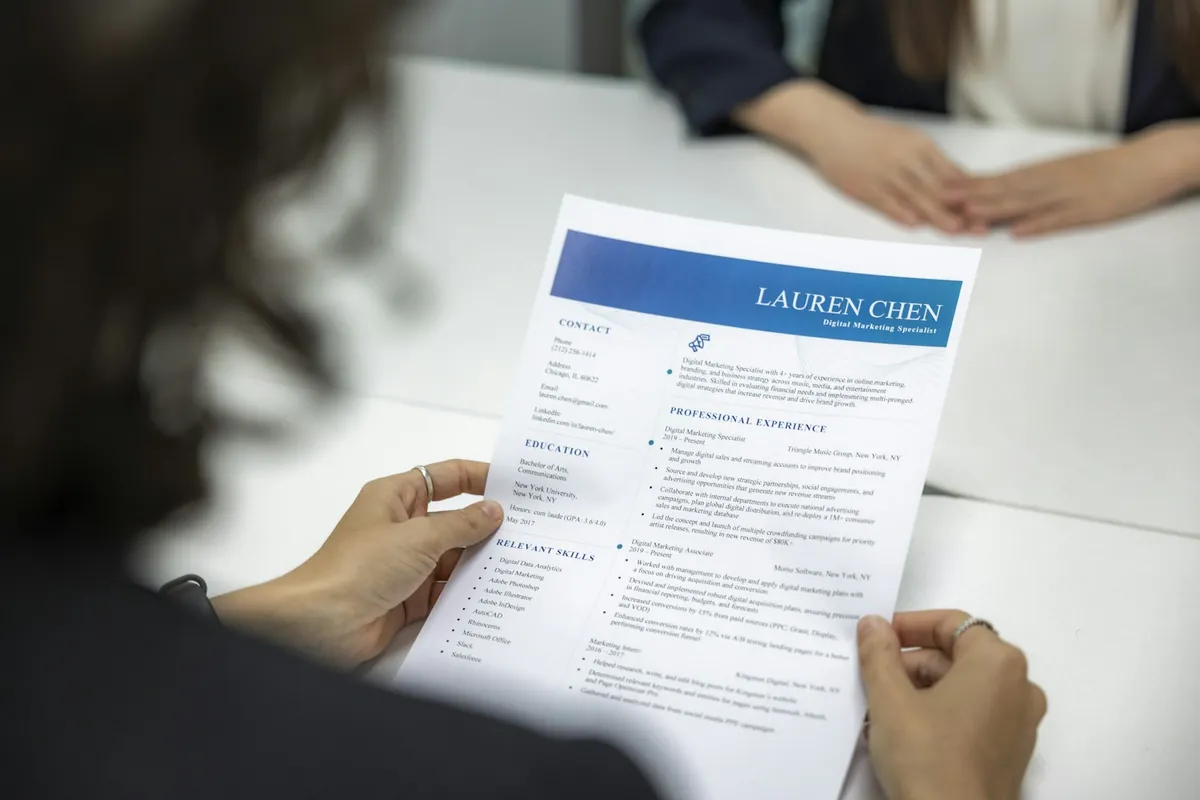
Most resumes that don't lead to interviews share one problem, and fixing it is the first lesson in how to write a resume for U.S. employers. They list responsibilities instead of results. CareerOneStop, the U.S. Department of Labor's career site, says a person typically scans a resume for 15–20 seconds. In that window, a recruiter wants proof that you've done relevant work and gotten results. A timeline of job duties won't give them that.
Before a person ever sees your resume, it may also go through an applicant tracking system (ATS), software many employers use to sort and screen applications. So you're writing for two readers: the software that parses your resume and the human who decides whether to call you.
Start with a Clear Target
Before you write a single bullet point, decide what role you're going after. A resume aimed at "any marketing job" is weaker than one aimed at "demand generation roles at mid-size B2B software companies." The tighter your target, the easier it is to decide what goes up front and what gets cut.
Pull 10–15 recent postings for that role. CareerOneStop recommends scanning that many to find the requirements that come up most often. As you read, keep a running list of:
- Job titles employers use for the role (they vary more than you'd think)
- Tools, software, and certifications that keep showing up
- Outcomes the employer cares about, such as revenue, cost, speed, quality, or compliance
- Soft skills mentioned more than once
That list becomes your keyword bank, and your checklist for what the resume has to prove.
What a U.S. Resume Is (and How It Differs From a CV)
In the U.S., a resume is a short, targeted summary of your experience, usually one or two pages, tailored to a specific kind of job. "CV" (curriculum vitae) usually means a longer, complete academic record used for faculty, research, and some medical roles. In many other countries, "CV" simply means what Americans call a resume, so if you're coming from abroad, expect U.S. employers to want the shorter, targeted version.
Choose the Right U.S. Resume Format
CareerOneStop's formatting guide describes three common resume styles:
- Chronological: Your work history in reverse order. It fits best if you have a steady record in the same field.
- Functional: Built around skills, with little detail on work history. CareerOneStop warns that employers can misread this format and applicant tracking systems may reject it, so be careful with it.
- Combination: A summary and skills section at the top, then a full work history. It works for most people, and it's especially good for career changers or anyone with gaps.
For most U.S. job seekers, chronological or combination is the safe bet.
Length
Keep it to one or two pages. CareerOneStop advises going to two pages only when your experience really calls for it. Here's a quick test: if page two is mostly older or unrelated roles, cut it. If it's recent, relevant achievements, keep it.
Federal jobs play by their own rules. The USAJOBS Help Center says federal agencies only accept resumes up to two pages long, and the USAJOBS system won't take a longer one.
Resume Sections, in Order
A typical U.S. resume goes in this order:
- Contact information: Name, phone, professional email, city and state, and a LinkedIn URL if your profile is current
- Professional summary (optional): Two or three lines on who you are and what you bring
- Skills: Tools, methods, and areas of expertise that match the target role
- Work experience: Most recent job first, covering relevant jobs from the last 10–15 years, as CareerOneStop suggests
- Education and certifications: Move these near the top if you're a recent graduate or the degree is a hard requirement
Leave off a photo, date of birth, marital status, and similar personal details. They're standard on a CV in some countries but not expected on a U.S. resume. The EEOC says employers should not ask for an applicant's photograph, and USAJOBS tells federal applicants to leave out photos and details such as age, sex, and religious affiliation.
Professional Summary Examples by Level
These are illustrative examples written for this guide:
- Entry level: "Recent marketing graduate with internship experience in social media analytics and content scheduling. Comfortable with HubSpot, Canva, and Google Analytics."
- Mid-career: "Operations analyst with six years in logistics, focused on inventory planning and process improvement. Led a warehouse slotting project that shortened pick times."
- Senior: "Finance leader with 15 years in FP&A at manufacturing companies. Built forecasting and budgeting processes for multi-site operations and managed teams of up to 12."
Swap in your own real details. A summary should be two or three lines, not a paragraph.
Lead with Outcomes, Not Duties
If you change one thing, change this. Replace lines like "Responsible for managing social media accounts" with wording that shows what happened because of your work.
A pattern that works:
Action verb + what you did + scope or context + result
Examples (the figures here are illustrative, not real data; use your own real numbers):
- Reduced customer onboarding time by 35% by redesigning the implementation checklist and training materials used by a 12-person customer success team.
- Generated $1.2M in pipeline from content-driven campaigns by launching a weekly industry newsletter that grew to 8,400 subscribers in nine months.
- Cut invoice processing errors by 22% after mapping the end-to-end workflow and adding a two-step review for high-value transactions.
Before and After Examples
These rewrites are illustrative examples written for this guide.
| Duty-focused | Outcome-focused |
|---|---|
| Handled customer complaints | Resolved an average of 40 customer escalations a week and kept satisfaction scores above team target for four straight quarters |
| Managed inventory | Introduced weekly cycle counts that cut stock discrepancies in half within six months |
| Trained new employees | Designed a two-week onboarding plan used for every new hire on a 15-person team |
| Did data entry | Entered and checked 300+ patient records a week with no audit errors over two years |
| Worked on the company website | Rebuilt the pricing page with the design team; demo requests rose the following quarter |
When You Don't Have Hard Numbers
Plenty of jobs don't track metrics. You can still show scale and impact:
- Volume: "Processed 60+ orders per shift"
- Scope: "Supported a 25-person sales team across three states"
- Budget: "Managed a $40K annual events budget"
- Recognition: "Selected to train all new hires in the region"
- Before/after: "Replaced a paper sign-in process with a shared digital form"
Expect to explain any number on your resume in an interview. If you can't back it up, round it down or drop it.
Make It Readable for Applicant Tracking Systems
CareerOneStop explains that companies use an ATS to receive applications, sort them, and track candidates, and that it can be set to filter out resumes missing essential criteria such as a software skill, a credential, or years of experience. If the software misreads your resume because of formatting, key details can get lost. If you meet the requirements, though, CareerOneStop says you can expect human readers to see it.
Formatting That Parses Cleanly
CareerOneStop's formatting guidance recommends:
- A simple, single-column layout, since ATS software reads left to right
- Standard section headings such as "Work Experience," "Education," and "Skills"
- No tables, text boxes, columns, logos, images, or graphics, which can scramble the content
- Nothing important in the header or footer, since some systems can't read them
- A basic font such as Calibri, Arial, Georgia, Garamond, or Times New Roman at 10–12 points
- Standard bullets (solid or open circles, solid squares) and 1-inch margins
- Consistent date formats, such as "Month, YYYY" or MM/DD/YYYY, without abbreviations like ’19
CareerOneStop also notes that hiding extra keywords in white text won't fool an ATS. Don't bother.
File Type
Follow the posting's instructions to the letter. If it doesn't name a format, CareerOneStop says Word, PDF, or plain text are all fine, and its formatting guide suggests PDF to preserve your layout. USAJOBS also recommends PDF for federal applications. Never send a scanned image of your resume, because its text won't be recognized.
Keywords: Match the Posting Accurately
CareerOneStop advises using the exact terms from the posting, because variations may not be recognized as a qualification. If the posting says "accounts payable," don't count on "AP" alone. Use each keyword where it fits naturally; repeating it over and over doesn't make you more qualified.
Work keywords in naturally:
- Skills section: List the tools and methods you actually use.
- Summary: Include the job title and two or three core qualifications.
- Experience bullets: Put keywords in context. "Led stakeholder management for a CRM migration" carries more weight than a bare skills list.
Don't list a skill you can't talk about in an interview. A resume that parses well still has to hold up in a conversation with a hiring manager.
The ATS Is a Filter, Not the Decision
A resume can parse perfectly and still get passed over if its relevance isn't clear. A person still reads whatever gets through. CareerOneStop also notes that networking is still the best way to get your resume directly to hiring managers. Stuffing in keywords at the cost of clear, results-focused writing is a common mistake. If you have a real connection at the company, a referral or a direct note to the hiring manager can back up your application. Our networking guide covers how to ask.
Skills Section Tips
- Group related skills: "Data: SQL, Excel (pivot tables, Power Query), Tableau"
- Put the skills most relevant to the target role first
- List certifications and licenses with the issuing body, such as "PMP, Project Management Institute"
- Skip generic traits like "hard-working" or "team player." Let your bullets show them.
Tailoring Your Resume to a Job Description
Tailoring doesn't mean a brand-new resume for every application. Keep a strong master version. Then, for each high-priority role, adjust:
- The summary, so it names the target title and matches the employer's top needs
- The order of your skills section
- Two to four key bullets, so your most relevant achievements sit near the top
- Keywords, swapped in where the posting's wording differs from yours
For roles you care less about, the master version may be fine as it is.
Common Mistakes to Avoid
- Objective statements that state the obvious ("Seeking a challenging position…")
- Long paragraphs instead of short bullets you can scan
- Personal details such as age, marital status, or a photo
- Equal weight for every job instead of putting recent, relevant work first
- Typos and inconsistent formatting. Have others review it for grammar, spelling, and fit with the job description, as CareerOneStop recommends. Your local American Job Center also offers free resume feedback
- Exaggeration, especially from AI tools. CareerOneStop cautions that AI can produce descriptions that overstate your experience. Every line should be true and sound like you.
Final Review Checklist
Before you hit submit, read your resume the way a stranger would:
- Can someone tell what kind of work you do within the first few lines?
- Does each bullet show a result, or at least scope?
- Do the top keywords from the posting appear in context?
- Is the layout single-column, with standard headings and no tables or text boxes?
- Are your dates, fonts, and spacing consistent?
- Is the file named clearly, such as
Firstname-Lastname-Resume.pdf?
If a bullet needs extra explaining to show its value, rewrite it.
Frequently Asked Questions
Should my resume be one page or two? One page fits most early- and mid-career candidates. Two pages make sense when the second page holds recent, relevant achievements. Federal resumes on USAJOBS are capped at two pages.
Do I need a professional summary? It's optional, but it helps career changers, experienced candidates, and anyone whose most relevant experience isn't their latest job.
PDF or Word? Follow the posting's instructions. If there aren't any, CareerOneStop says Word, PDF, or plain text all work and recommends PDF to preserve formatting. Just make sure it's a text-based file, not a scan.
How far back should my work history go? Usually 10–15 years. You can sum up older roles in a single line or leave them off.
Do I include a photo? No. Photos aren't expected on U.S. resumes, and the EEOC says employers should not ask for one.
Do I need an objective statement? Generally no. A short professional summary that's tailored to the role does the job better.
How do I list remote or contract work? List it like any other role. Add "Remote" in place of a city, or "Contract" next to the title, and group several short contracts under one heading, such as "Independent Consultant," if that's clearer.
How do I handle an employment gap? List your dates honestly. A combination format keeps the focus on skills, and a sentence in your cover letter can explain the gap briefly.
Can I use AI to write my resume? It can help with a first draft or with wording, but edit carefully. Make sure every claim is accurate and the language sounds like you.
Related Guides
- Pair your resume with a tailored letter using our cover letter guide.
- Make your profile match your resume with our LinkedIn guide.
- Switching fields? See changing careers in the U.S.
- Got the interview? Prepare with our common interview questions.
Sources
- CareerOneStop (U.S. Department of Labor), "Resumes": https://www.careeronestop.org/JobSearch/Resumes/resumes.aspx
- CareerOneStop, "Formatting | Resume Guide": https://www.careeronestop.org/JobSearch/Resumes/ResumeGuide/formatting.aspx
- USAJOBS Help Center (OPM), "How do I write a resume for a federal job?": https://usajobshelp.opm.gov/hc/en-us/articles/52839989720851-How-do-I-write-a-resume-for-a-federal-job
- U.S. Equal Employment Opportunity Commission, "Prohibited Employment Policies/Practices": https://www.eeoc.gov/prohibited-employment-policiespractices
- CareerOneStop, "American Job Center Finder": https://www.careeronestop.org/LocalHelp/AmericanJobCenters/find-american-job-centers.aspx
Your resume is Step 2 of a bigger plan, and the other five are laid out in how to find a job in the U.S.. Applying for a government role? Our federal resume guide covers the USAJOBS format, and if you have time off between jobs, see how to explain an employment gap.